Apprendre l’allemand is a German revision app for Android made by the Allemand PDF website, covering grade 6 (6ème) to grade 12 (Terminale). A tap on a German word plays it with the voice of your phone.
The app uses French for students of German as a first or second foreign language. Science students heading to a German-speaking university may find it a practical stepping stone.
Get Apprendre l'allemand

At a glance
- Platform : Android
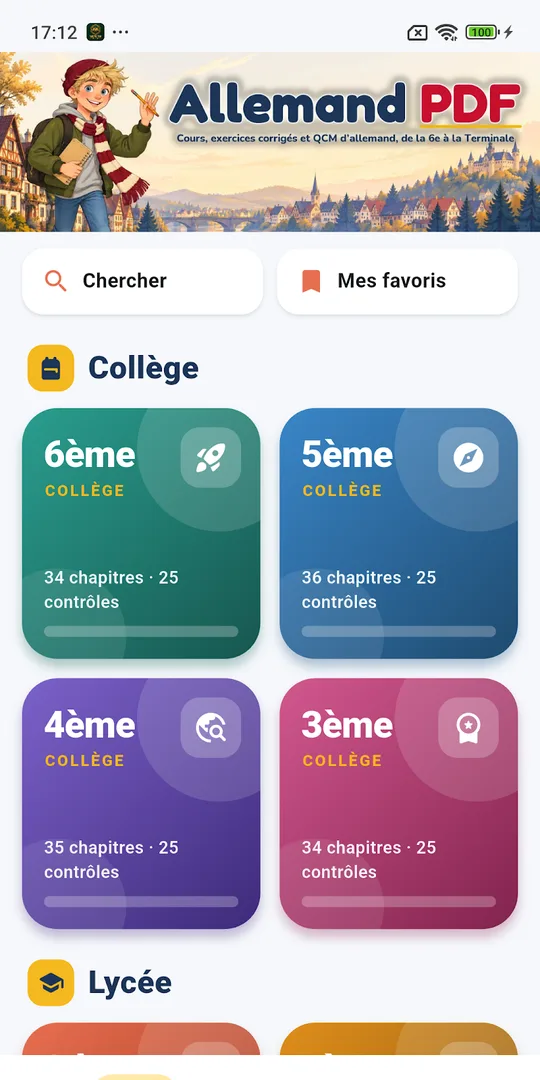
- Levels : grade 6 (6ème) to grade 12 (Terminale)
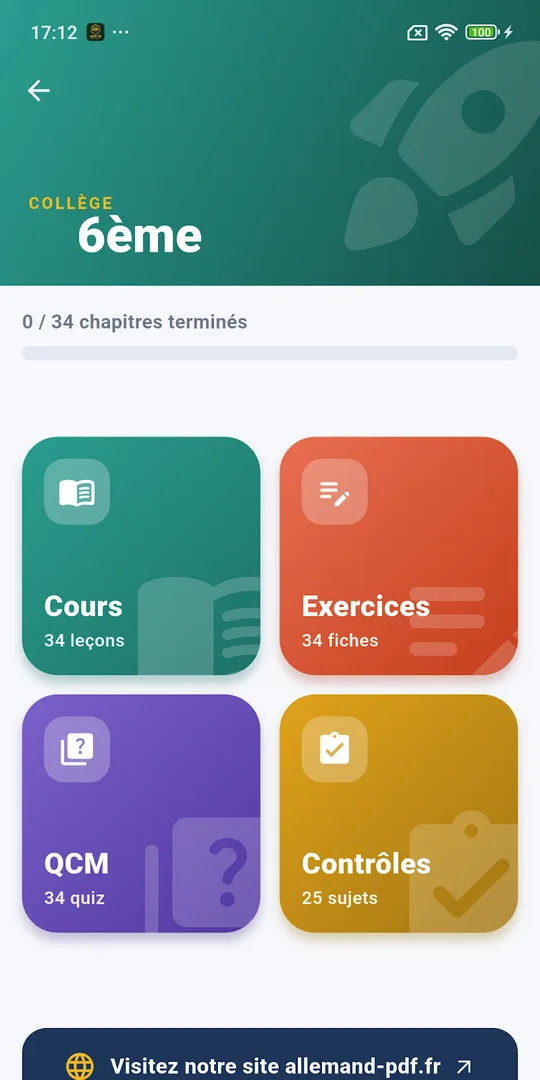
- Content : lessons, pronunciation, worksheets, quizzes, graded tests
- Account : not needed
- Interface : French
- Advertising : none
Getting started in five steps
- Install Apprendre l’allemand from Google Play.
- Pick your level, from grade 6 (6ème) to grade 12 (Terminale).
- Open a chapter and read the lesson with its translated examples.
- Tap a German word to hear its pronunciation.
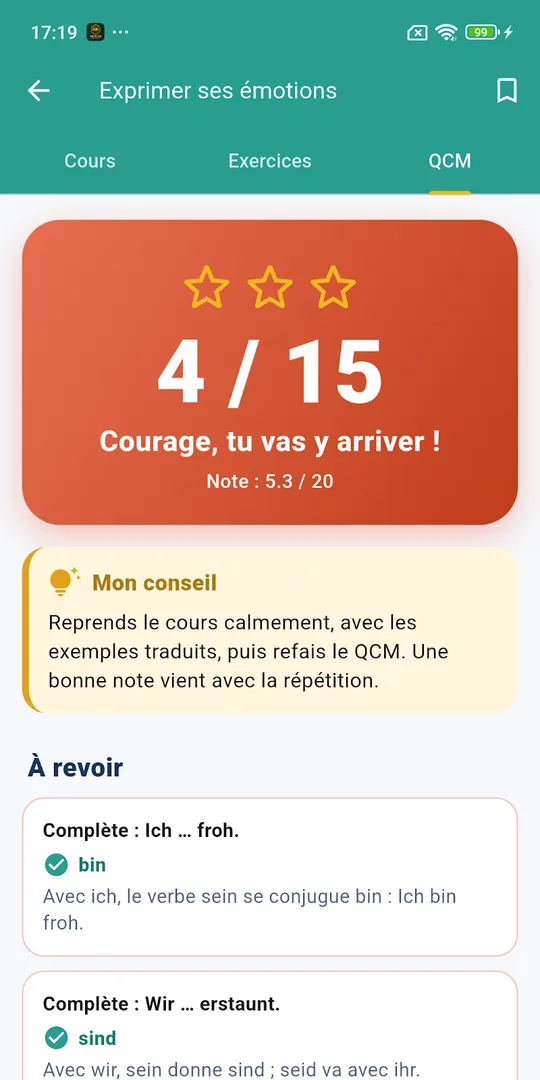
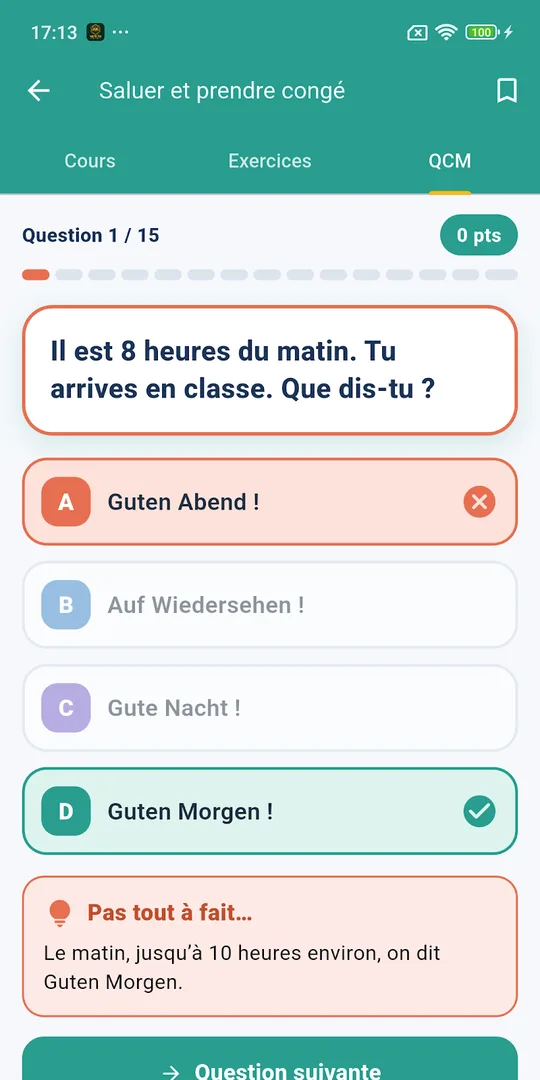
- Take the 15-question quiz and review the items shown in the revision area.
What you will find inside the German revision app
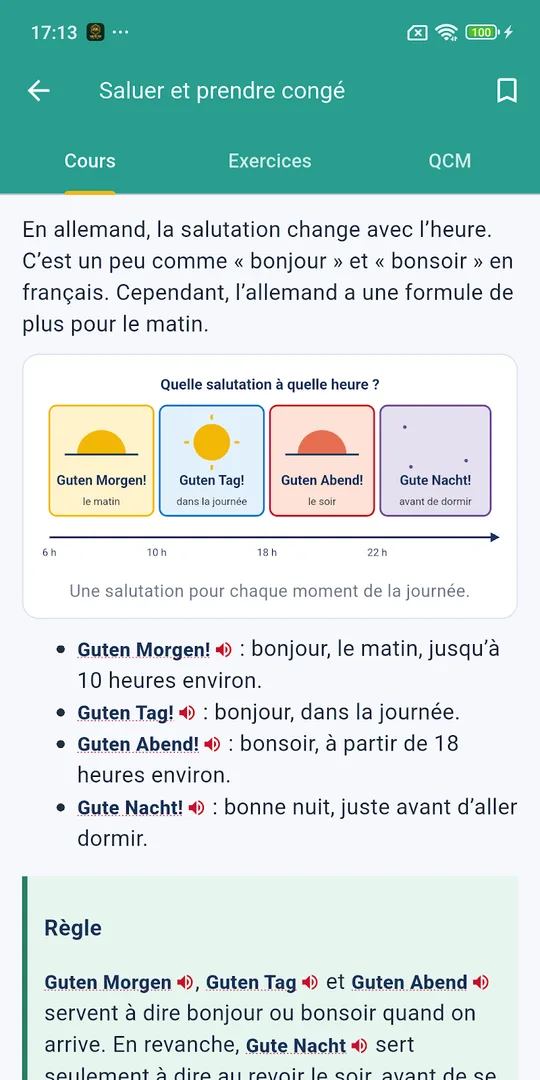
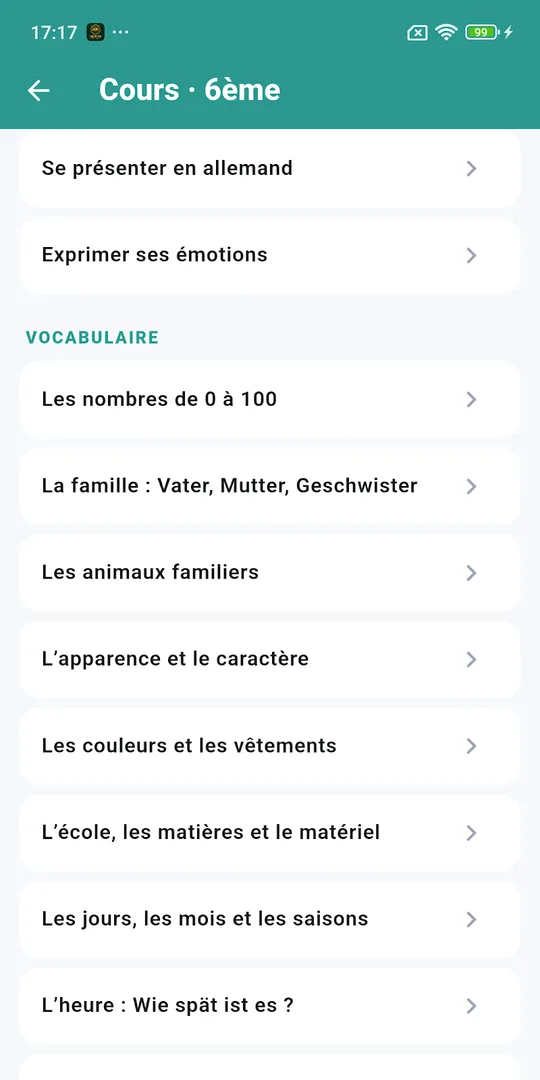
- Lessons with translated examples, tables and diagrams.
- Pronunciation by touch, using your phone’s voice.
- Progressive worksheets for each level.
- Quizzes of 15 questions with sounds, colours, a final mark, advice and a zone for items to review.
- Graded tests out of 20 for class-like practice.
- Chapters on pronunciation, vocabulary, grammar, expression, comprehension, civilisation and method, from the German alphabet to baccalauréat exam subjects.
Progress, finished chapters, best marks and favourites stay on the device. You need no account, and there is no advertising.
Who it is for
The app targets French-speaking students who learn German at school, whether as a first or second language. Detailed corrections and printable PDF files are on the Allemand PDF site, one tap away.
Explanations are in French, so the app suits learners who already read French. For others, the pronunciation feature still works for any word.
Why German matters for science
German-speaking countries have a long tradition in physics and chemistry, and many university courses and papers are in German. Learning vocabulary early makes later reading easier.
Combine a vocabulary chapter with a lesson from our physics and chemistry courses, and note the German names of the quantities you meet in the AP Physics 1 worksheets.
From the alphabet to exam subjects
The chapters start with the German alphabet and sounds, then move to vocabulary, grammar, expression and comprehension. They end with civilisation and method, including the subjects of the baccalauréat exam.
Quizzes of 15 questions come with sounds, colours, a final mark and personal advice, and a zone gathers the items to review. Graded tests out of 20 let a student practise as in class.
Detailed corrections and printable PDF files are on the Allemand PDF site, one touch from the app.
Progress stays on the device, with no account to create. Favourites keep the chapters you want to revisit, and best marks show which units are secure. That makes the app easy to use in short moments, for example ten minutes of vocabulary and audio before a lesson.
Tips for steady progress
- Tap and repeat each new word aloud three times.
- Use the revision zone after every quiz.
- Take a graded test at the end of each unit.
- Group nouns by article to memorise their gender.
Frequently asked questions
What is Apprendre l'allemand?
Apprendre l'allemand is an Android app to revise German from grade 6 to grade 12. It provides lessons, pronunciation by touch, worksheets, quizzes with a review zone and graded tests out of 20.
Can I hear the German words?
Yes. You can tap a German word to hear it read with the voice of your phone. This helps you connect spelling and sound from the alphabet chapters to the vocabulary of exam topics.
Is the interface in English?
No. The app uses French for French-speaking students. Readers who understand French will follow the explanations easily, while the pronunciation tool works with any German word.
Does it need an account?
No. The store text states that you need no account and there is no advertising. Chapters completed, best marks and favourites stay on the device itself.
