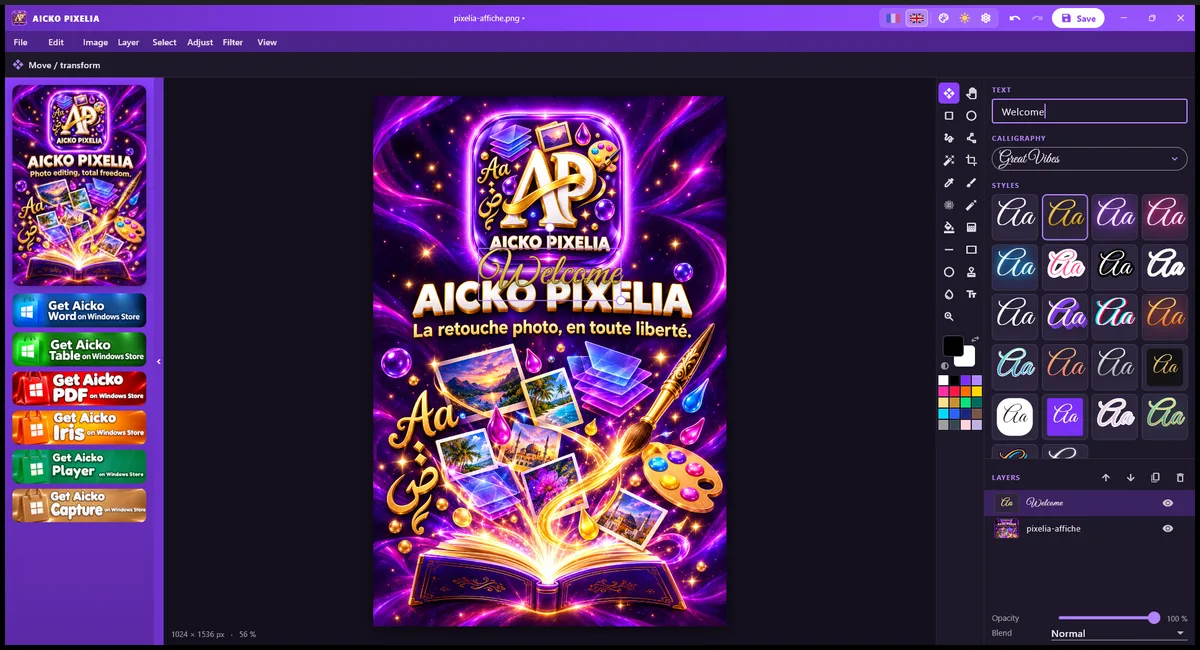
AICKO PIXELIA is a free photo editor for Windows 10 and 11 built around layers, filters, cropping and styled text. It offers calligraphy fonts, including Arabic ones, and exports your work as PNG or JPG.
The program keeps to the essentials, so a beginner can retouch a picture, add a caption and export it in a few minutes, with no account and no advertising. It is available in French and English, in several colours.
Get AICKO PIXELIA
At a glance
- Platform: Windows 10 and 11, through the Microsoft Store
- Price: free
- Editing: layers, filters, crop, resize, text
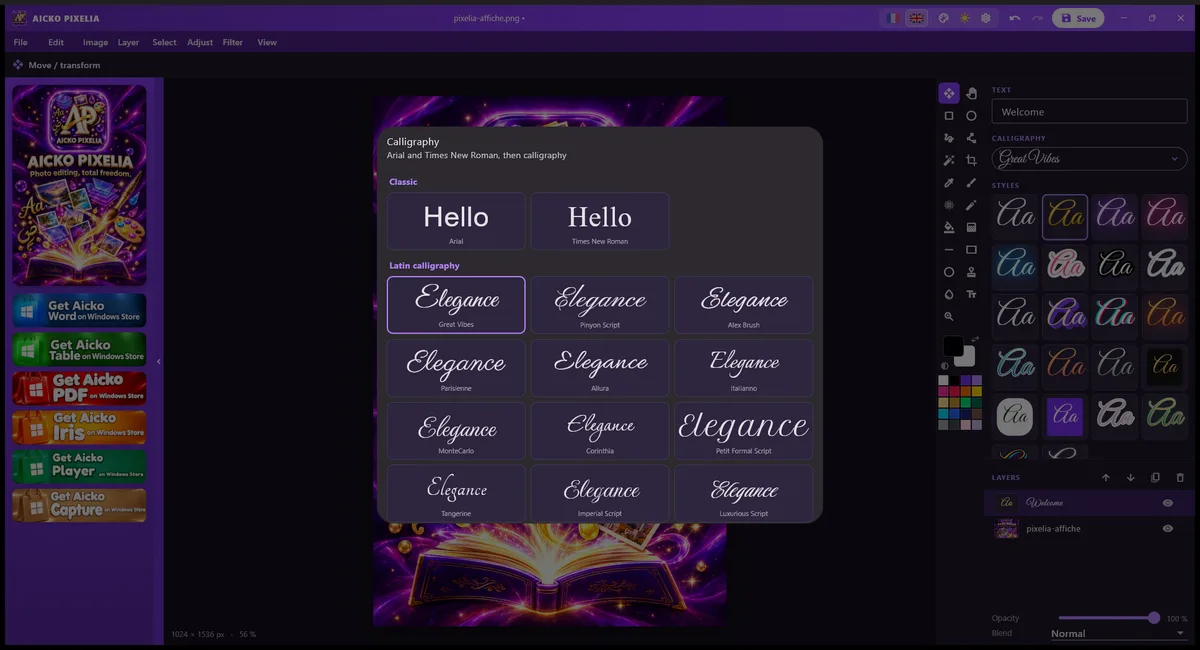
- Text: 18 Latin and 12 Arabic calligraphy fonts, 22 styles
- Export: PNG and JPG
- Interface: French or English
Getting started in five steps
- Install AICKO PIXELIA on Windows 10 or 11, using the Microsoft Store.
- Open a photo, or create a new document and choose its size.
- Crop the picture, then apply image adjustments or a filter.
- Add text on its own layer and pick a style.
- Export the result as PNG or JPG.
What the free photo editor contains
- Layers with adjustable opacity, blending and stacking order.
- Filters and image adjustments, plus cropping and resizing of the document.
- Text on its own layer, with Arial, Times New Roman, 18 Latin calligraphy fonts and 12 Arabic calligraphy fonts.
- 22 text styles, such as neon, gold, sticker, 3D and glitch.
- Export to PNG or JPG.
Why layers matter
A layer is a transparent sheet placed above the photo. You can write a label on one sheet, draw an arrow on another and keep the original picture untouched underneath. If you make a mistake, you change only that sheet. This is the same logic as overlaying a tracing paper on a diagram in a laboratory notebook.
You do not need to know advanced tools to get a good result. Open a picture, crop it, correct the light with the image adjustments, then add the text. Every change sits on a layer or in a setting that you can modify later, so trying things out costs nothing.
Who it is for
Students who photograph an experimental setup, a plant under a microscope or a graph on a board can use the program to crop the useful area, adjust brightness and contrast, and add labels before pasting the picture into a report. Teachers can prepare illustrated slides, and anyone who enjoys beautiful lettering will like the calligraphy fonts. The interface is available in French and English, and you can change its colour in the settings.
Linking with this site
Clear labelled figures make science reports easier to read. If you want models of well-made diagrams, browse our science books, then reproduce the style on your own photos: short labels, one colour per idea, and a title that says what the picture shows.
The text styles are playful, but they have a serious use too. A bold outlined style keeps a label readable on a dark photograph, and a clean style suits a caption. The Arabic calligraphy fonts help when you prepare bilingual posters or titles.
Tips for scientific images
- Never retouch a result to hide an error. Crop and adjust light only, then say so in your report.
- Keep an unedited copy of each photo as your raw data.
- Use a plain, readable font for labels and keep decorative styles for titles.
- Export as PNG for diagrams and text, and as JPG for ordinary photographs.
Frequently asked questions
Is AICKO PIXELIA a free photo editor?
Yes. AICKO PIXELIA is free for Windows 10 and 11, with no advertising. It provides layers, filters, cropping, text with styles and calligraphy fonts, and exports to PNG or JPG.
Does AICKO PIXELIA support layers?
Yes. Each element can sit on its own layer, and you can adjust its opacity, its blending and its position in the stack. That lets you edit one part of an image without damaging the rest.
Which fonts and text styles are included?
You get Arial and Times New Roman, 18 Latin calligraphy fonts and 12 Arabic calligraphy fonts. There are also 22 text styles, including neon, gold, sticker, 3D and glitch, to decorate titles and captions.
In which formats can I save my images?
You can export your work as PNG or JPG. PNG suits diagrams, text and images with transparent areas, while JPG gives smaller files for photographs that you want to share or insert in a document.
