AICKO PDF is a free PDF editor for Windows 10 and 11 that reads, edits and converts PDF files without a subscription, an account or an internet connection. Your files stay on your computer.
It covers the whole chain: correct text, reorder pages, merge, compress, sign, convert to Word, and make a scanned page searchable with text recognition, in French or in English. The interface is available in French and English.
Get AICKO PDF
At a glance
- Platform: Windows 10 and 11, through the Microsoft Store
- Price: free
- Works offline: yes, no account
- Tools: edit, merge, split, compress, sign, redact, OCR, convert
- Interface: French or English, dark mode
Getting started in four steps
- Install AICKO PDF on Windows 10 or 11, using the Microsoft Store.
- Open a PDF. Scroll through it, or open the page organiser to see thumbnails.
- Choose a tool: edit text, reorder pages, merge, compress, sign, protect or convert.
- Save the result as a new file or export it to Word, PNG or JPG.
What the free PDF editor does
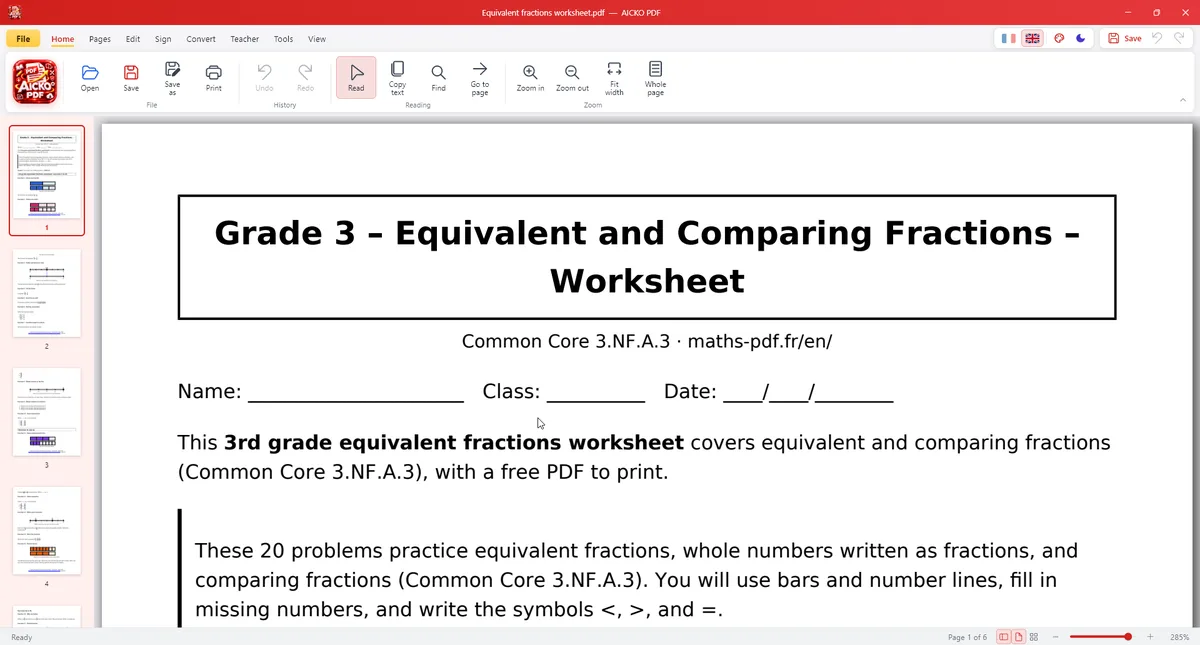
- Edit text: double-click a passage to correct it, keeping the original font, size and colour. Add bold, italic, alignment and new text boxes.
- Organise pages: drag and drop thumbnails, delete, rotate, duplicate, extract or insert pages, merge several PDFs or split one.
- Convert: PDF to Word (.docx), PDF to PNG or JPG, and images or photos to PDF.
- Compress, sign and protect: reduce file size, draw a signature, add a stamp, set an AES-256 password, truly redact sensitive information, add a watermark and page numbers.
- Text recognition (OCR): make a scanned PDF searchable and copiable using Windows OCR. Fill in forms and have the document read aloud.
Reading is smooth, and the page organiser lets you work with thumbnails rather than scrolling through fifty pages. When a PDF is a heavy scan, you can first compress it, then run text recognition, then merge it with your own notes, all without leaving the program.
Tools for teachers
AICKO PDF includes a fill-in-the-blanks worksheet generator, a separation of questions and answer key, an A5 booklet layout, 2 or 4 pages per sheet, and a version adapted for pupils with dyslexia. A teacher can build a printed handout from a scientific article in a few minutes.
Why science learners need a PDF editor
Science courses live in PDF: protocols, data sheets, past papers, textbook scans and published articles. Being able to select and copy text from a scan, to extract the three pages that matter, or to redact a name before sharing a report makes daily work easier. Merging your scans into one report and compressing it also helps when a school mailbox limits attachment size.
How it works with this website
Many pages on this site, such as the science books, are available as PDF sheets. Open them in AICKO PDF to highlight formulas, add notes, split a long sheet into chapters or read a lesson aloud while you rest your eyes.
The interface is available in French and English, with a dark mode and 7 colours.
A privacy point deserves a mention. Because the work is done locally, a report that contains names, marks or a signature never travels to an online converter. Password protection with AES-256 adds a further layer when you send a file by email.
Tips
- Keep an original copy before editing, then work on the duplicate.
- Run text recognition before searching a scanned document.
- Use real redaction rather than a black rectangle when a document contains private details.
Frequently asked questions
Is there a free PDF editor for Windows that works offline?
Yes. AICKO PDF is free for Windows 10 and 11, needs no account and works without an internet connection. It edits text, organises pages, merges, compresses, signs, converts to Word and runs OCR on your computer.
Can AICKO PDF edit the text of a PDF?
Yes. Double-click a passage to correct it. The program keeps the original font, size and colour, and lets you add bold, italic, alignment and new text boxes. Bold, italic and alignment can be changed too and new text boxes can be added.
Can I convert a PDF to Word or to images?
Yes. AICKO PDF converts PDF to Word (.docx), to PNG and to JPG, and it turns images or photos into PDF. You can also extract the images contained in a document.
What does the OCR feature do?
OCR recognises the text of a scanned PDF through Windows text recognition. After it runs, the document can be searched and its text copied, which is not possible with a plain image of a page.
