
AICKO PLAYER is a free video player for Windows 10 and 11 that also plays music. It reads a very wide range of formats, builds playlists, finds subtitles automatically and resumes a video where you stopped.
It keeps only the options people use most, so you can open a file, adjust the speed and capture an image without searching through menus. Subtitles and speed control help with lectures and recorded experiments.

Get AICKO PLAYER
At a glance
- Platform: Windows 10 and 11, through the Microsoft Store
- Price: free
- Media: video and music, many formats
- Features: playlists, subtitles, speed, screenshots, resume
- Interface: French or English, 8 colours
Getting started in four steps
- Install AICKO PLAYER on Windows 10 or 11, using the Microsoft Store.
- Open a file, drop it onto the window, or paste the address of a stream.
- Click once to pause and twice for full screen, and turn the mouse wheel to change the volume.
- Use the menus to choose a subtitle track, an audio language or a playback speed.
What the free video player offers
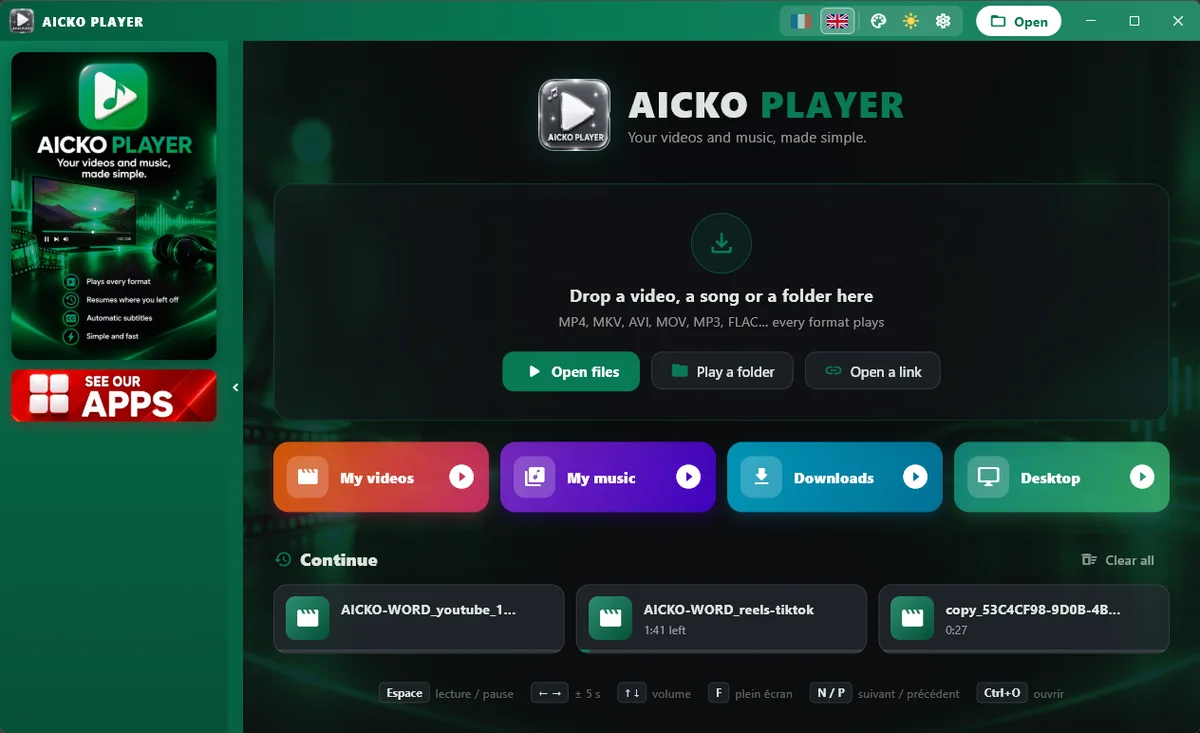
- Playback of video and music in many formats, with a very long list of file extensions recognised.
- Playlists with shuffle, repeat and drag and drop.
- Resume position: the player remembers where you stopped in each file.
- The player detects subtitles placed next to the file automatically, and a menu lets you pick tracks and the audio language.
- Variable playback speed and screenshots of the current image.
- Fit, fill or stretch the picture, keep the window always on top, and full screen.
- Keyboard shortcuts, and quick access to your Videos, Music, Downloads and Desktop folders.
Comfort and settings
The interface is available in French and English, with 8 colours and a dark or light theme, in the same style as the other AICKO programs.
Why a science learner will use it
Recorded lectures, lab demonstrations and documentaries are only useful if you can control them. With a slower speed you can follow the steps of a titration or a circuit assembly, and with a faster speed you can review a long lecture quickly. The screenshot function captures a frame, for instance a diagram on a board, so that you can paste it into your notes. Subtitles help when a talk is in a language you are still learning.
Pair the player with our virtual lab: watch a recorded experiment, then repeat the measurement in the simulator and compare.
The player is not tied to one kind of file. You can open a single film, a folder of recordings or a stream address, and the quick access buttons for Videos, Music, Downloads and Desktop shorten the way to your files. Fit, fill and stretch let you adapt the picture to the shape of your screen.
Who it is for
Pupils and students who watch course videos, teachers who play classroom recordings, and anyone who wants a light player for music and film. The player has no advertising and no account.
Music has its place too. Build a playlist for a revision session, switch on repeat or shuffle, and the same program that plays a lecture plays your background music. The player saves the screenshots in the Pictures folder of your computer.
Tips
- Slow a video to 0.5 times for a delicate manipulation, and take a screenshot at each step.
- Put a whole course in one playlist, in order, and let the resume function keep your place.
- Keep the window on top while you take notes in another program.
Frequently asked questions
Is AICKO PLAYER a free video player for Windows?
Yes. AICKO PLAYER is free for Windows 10 and 11. It plays video and music in a very wide range of formats, with playlists, subtitles, speed control and screenshots, and shows no advertising.
Does AICKO PLAYER remember where I stopped?
Yes. The player keeps the playback position of your files, so a long lecture or a film restarts at the point where you left it, even after you close the program.
Can I load subtitles in AICKO PLAYER?
The player finds subtitles stored next to the video file automatically. A menu lets you choose among subtitle tracks and audio languages when the file contains several of them. The menu keeps the choice.
Can I change the playback speed or take screenshots?
Yes. You can slow down or speed up playback, and capture the current image of the video. You can also fit, fill or stretch the picture, and the window can stay on top of others.
